
Description
⭐ StarTrack WooCommerce Shipping – Feature Overview
✔ Dynamic Product Discovery
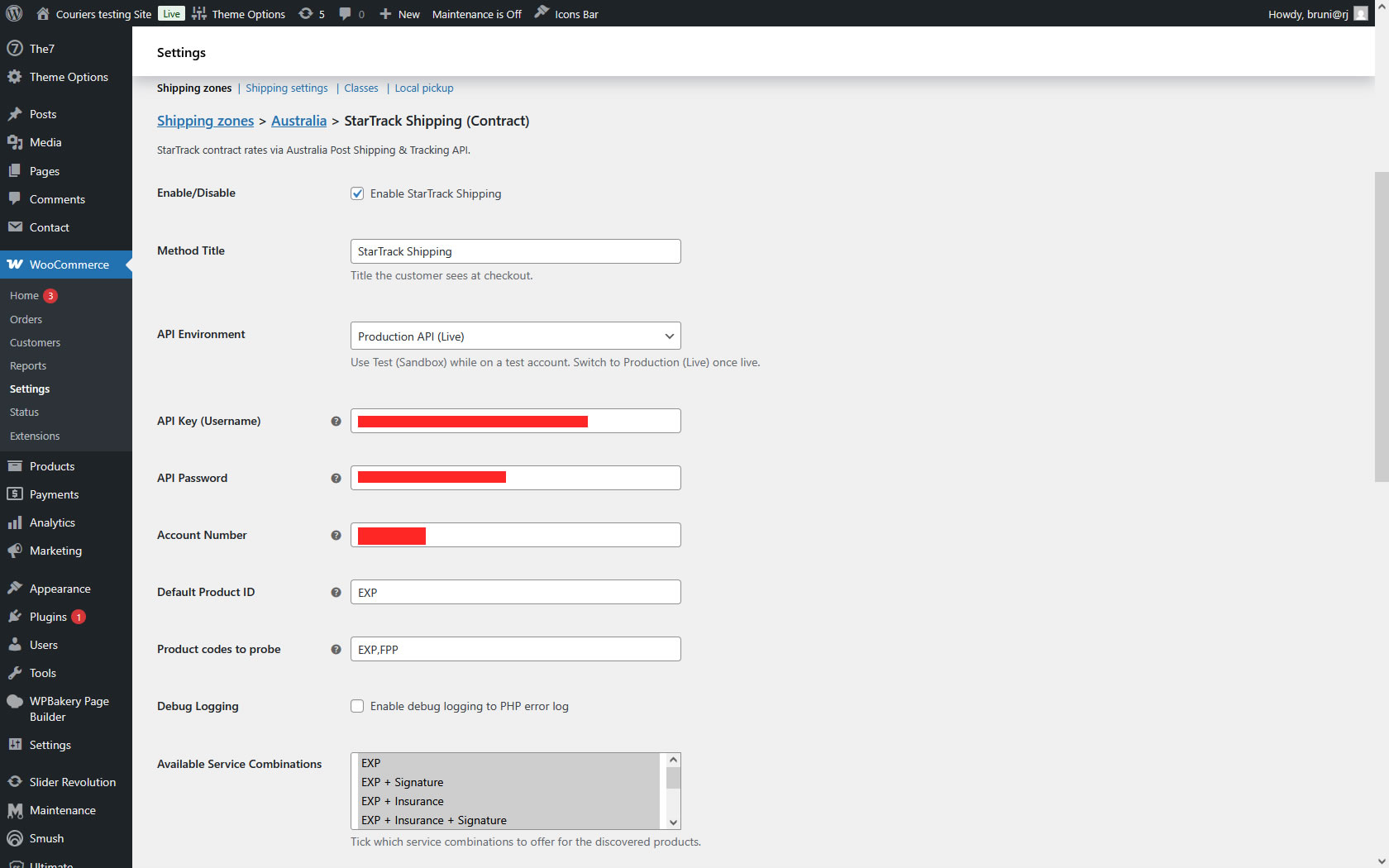
The plugin automatically detects all StarTrack services available for the customer’s contract (e.g., EXP, PRM, FPP) and loads them into the settings area.
No manual setup or entering product codes required.
✔ Select Which Services You Want to Offer
After StarTrack services are detected, store owners can choose exactly which service types to enable at checkout.
Perfect for merchants who want to limit shipping options (for example, “EXP only”).
✔ Automatic Service Combinations (Signature, Insurance, etc.)
The plugin intelligently creates all valid combinations for each selected service:
-
Service only
-
Service + Signature
-
Service + Insurance
-
Service + Signature + Insurance
-
Service + Postage & Handling
-
And any allowed combination
This ensures WooCommerce shows all valid pricing variations to the customer automatically.
✔ Custom Naming for Each Service
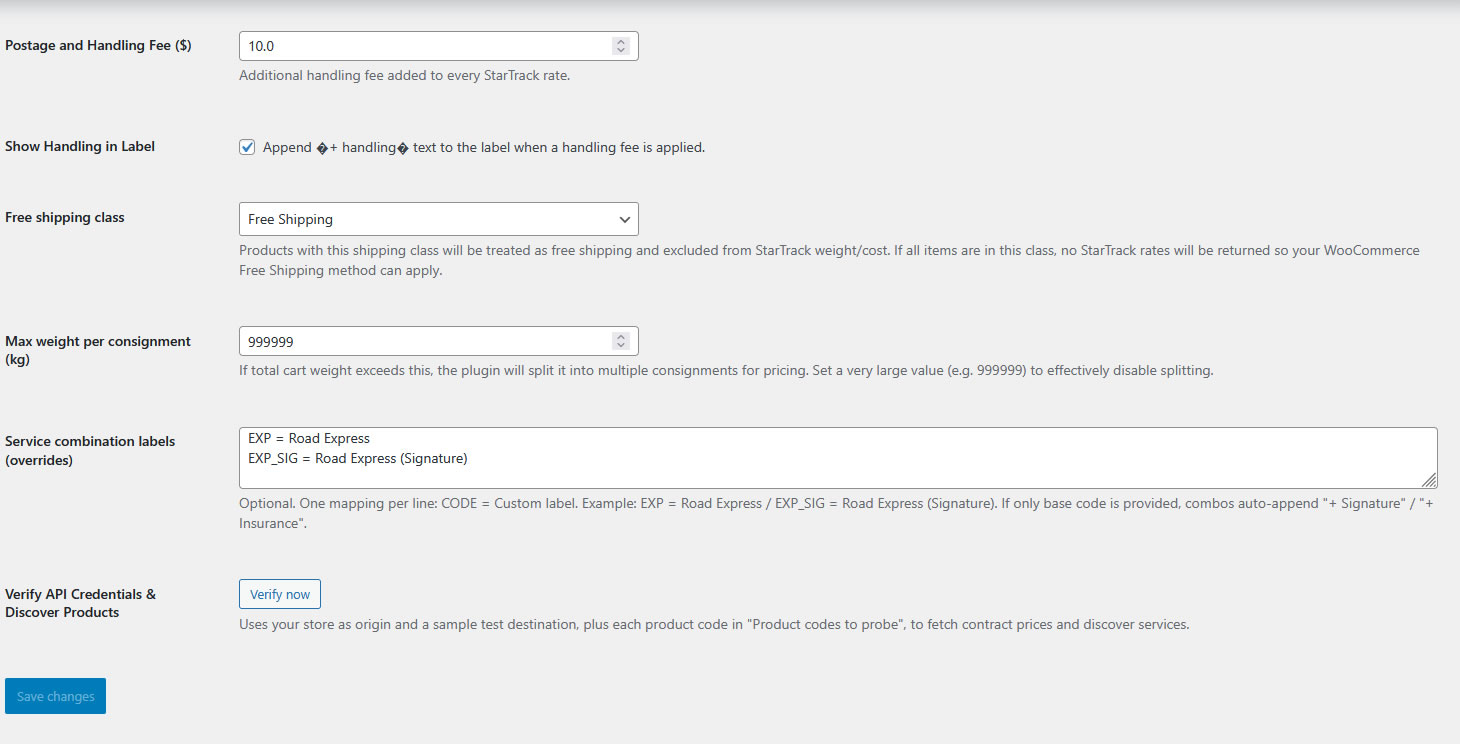
Every shipping method and combination can be renamed by the store owner.
Examples:
-
EXP→ Road Express -
EXP + Signature→ Road Express (Signature Required) -
PRM→ Premium Service -
FPP→ Fixed Price Premium
This allows merchants to present customer-friendly labels at checkout.
✔ Optional Signature, Insurance, Postage & Handling
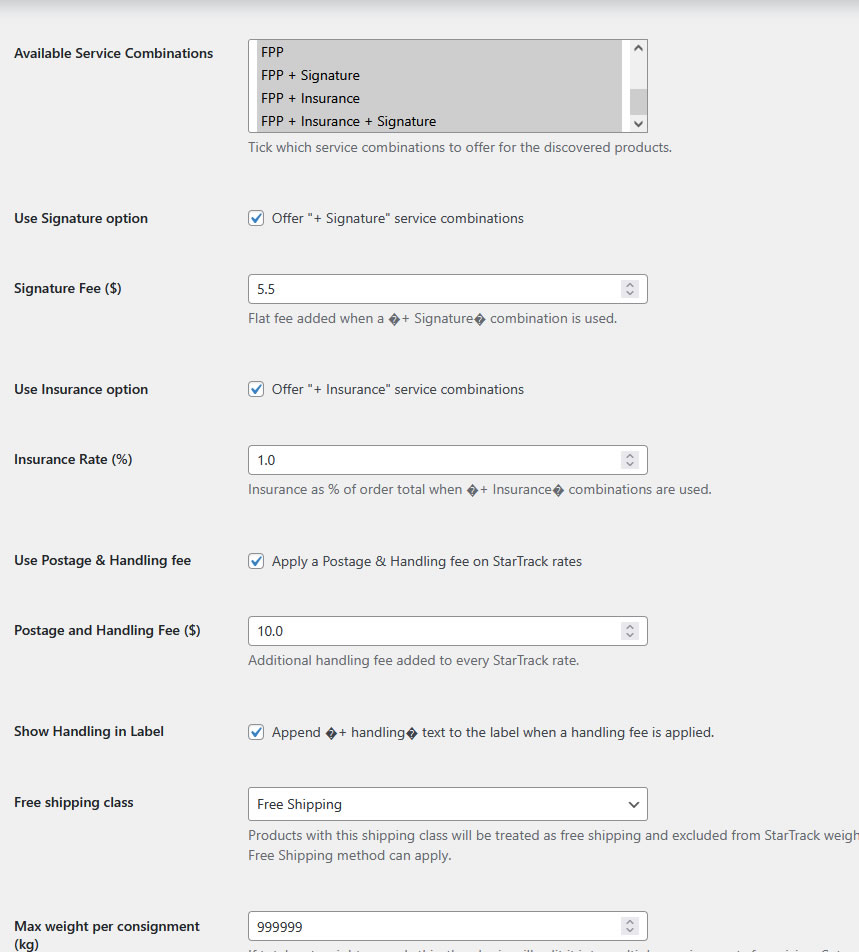
Merchants can activate any of these add-on fees:
Signature Required
Adds a fixed fee to selected combinations.
Insurance
Adds an insurance cost to applicable combinations (flat or percentage).
Postage & Handling Fee
A global handling fee that automatically applies to all rates when enabled.
The plugin shows only the relevant fields when each option is enabled—keeping the settings panel clean and easy to use.
✔ True StarTrack Contract Pricing
Quotes pulled directly from the StarTrack / Australia Post Shipping & Tracking API using:
-
Merchant account number
-
API key
-
Contract-enabled product codes
This guarantees the rates shown at checkout match the merchant’s StarTrack billing.
✔ Correct Weight & Dimension Handling
The plugin sends the exact parcel dimensions and weight to StarTrack, including:
-
Actual weight
-
Cubic weight
-
Cart item aggregation
-
Max weight override
-
API-accurate chargeable weight
This ensures consistent, accurate pricing—matching Postman and the merchant’s contract.
✔ Full Debug Logs
The plugin includes detailed logging:
-
Outgoing API payloads
-
Returned responses
-
Service selection logic
-
Price calculations
-
Fallback detection
Perfect for diagnosing contract issues or confirming rate accuracy.
✔ Compatible With Free-Shipping Products
If a product or category is set to “Free Shipping” in WooCommerce, the plugin excludes it from StarTrack calculations, preventing rate conflicts.
✔ Production + Test API Support
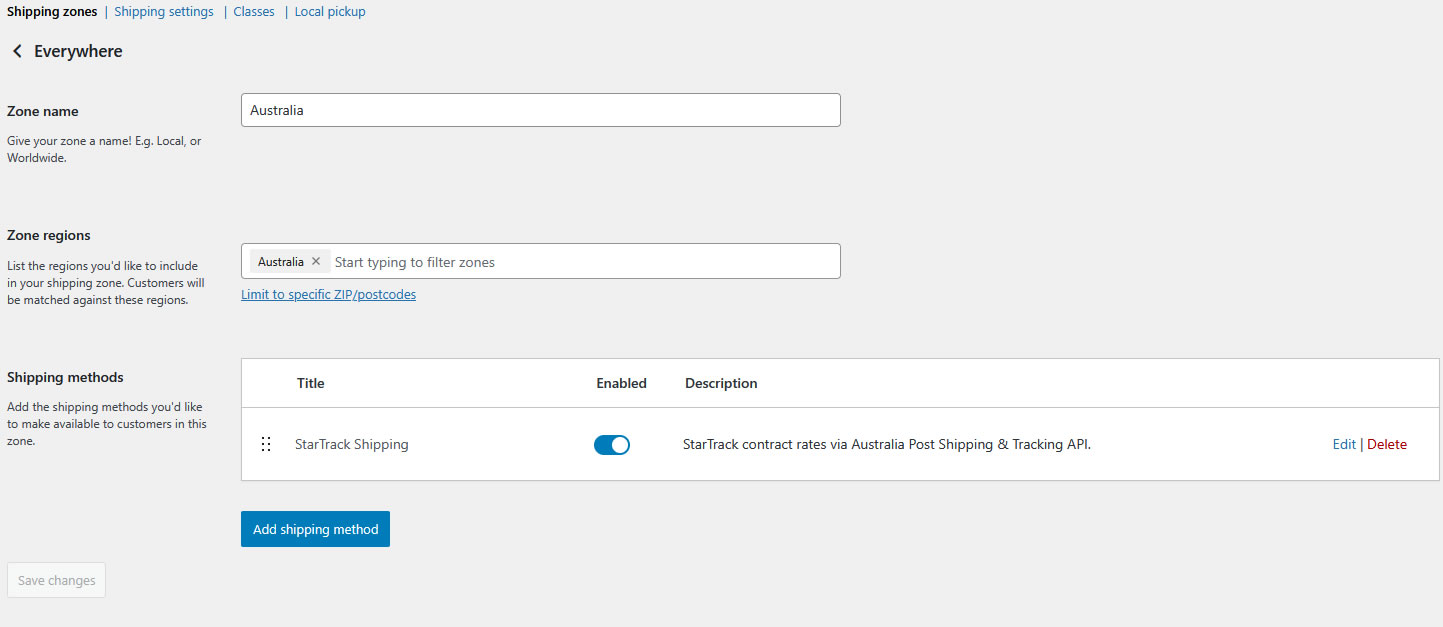
Store owners can easily switch between:
-
Test mode (StarTrack sandbox)
-
Production mode (Live contract rates)
Ideal for development and troubleshooting.
✔ Multi-Service Checkout Display
The checkout shows each enabled StarTrack service and combination separately, with accurate naming and pricing.
Examples:
-
Road Express — $28.95
-
Road Express (Signature Required) — $32.95
-
Premium — $34.80
Technical Requirements:
- PHP 8.2 or higher
- WordPress 6.5 or newer
- WooCommerce 9+
Recommended Integration for Free Shipping:
For stores offering free shipping, we recommend using the WooCommerce Free Shipping Per Product plugin (not affiliated). Simply create a custom “Free Shipping” class and assign it to relevant products for seamless integration.
Test Before You Commit:
Explore the plugin’s features risk-free at Our Test Site. Always test on a backup copy of your website to ensure compatibility and optimal performance.
Get Started:
If you already have a StarTrack account contact them and ask them to provide you a Production Key for the Shipping and Tracking API.
If you do not have an account you need to request an account first and then once you have to ask for a production key or try to create one yourself.You can obtain a test key at Shipping and Tracking API key and once you have tested everything request a production key.
Best to talk to them as their process is not the easiest..
Note: Always proceed with care during installation. We are not liable for misuse or improper implementation.
Simplify your WooCommerce shipping with StarTrack’s trusted services—install the plugin today!
Important Notice: Backup and Test Before Installation
Before installing any MBH Plugin, we strongly recommend:
- Backing Up Your Website: Ensure you have a complete backup of your site, including files and database, to safeguard against unexpected issues.
- Testing in a Staging Environment: Always test new plugins on a staging site to identify potential compatibility issues without affecting your live site.
MBH Plugins are thoroughly tested, but due to the wide range of themes, plugins, and configurations, conflicts may still occur.
By proceeding with installation, you acknowledge responsibility for taking these precautions.